Fantamidi_Full version
A downloadable tool for Windows and macOS
🚀 Version 1.2 is now available
Version 1.2 has been released for macOS and Windows.
This update includes bug fixes and improvements, with added support for Intel Macs.
Details are available in the Devlog.
------
Music is more fun when accidents happen.
Fantamidi helps you rediscover inspiration through random, musical MIDI generation.
**Fantamidi** is a step sequencer & synthesizer plugin that supports creative music production.
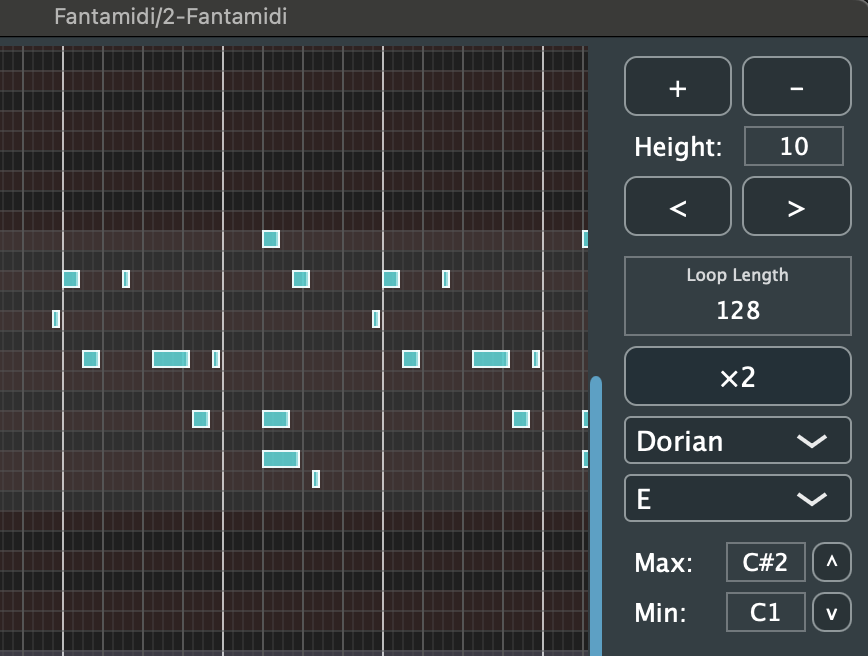
Create 16-128 step loop sequences easily with an intuitive piano roll interface. With 18 scale types (major, minor, pentatonic, modes, blues, etc.) and root note settings, you can create beautiful melodies without music theory knowledge.
The dedicated bass area allows you to edit and generate basslines independently, and the automatic pattern generation feature (4 variations) helps you quickly shape your ideas. Random note generation and pitch randomization features help you discover new ideas and inspiration.
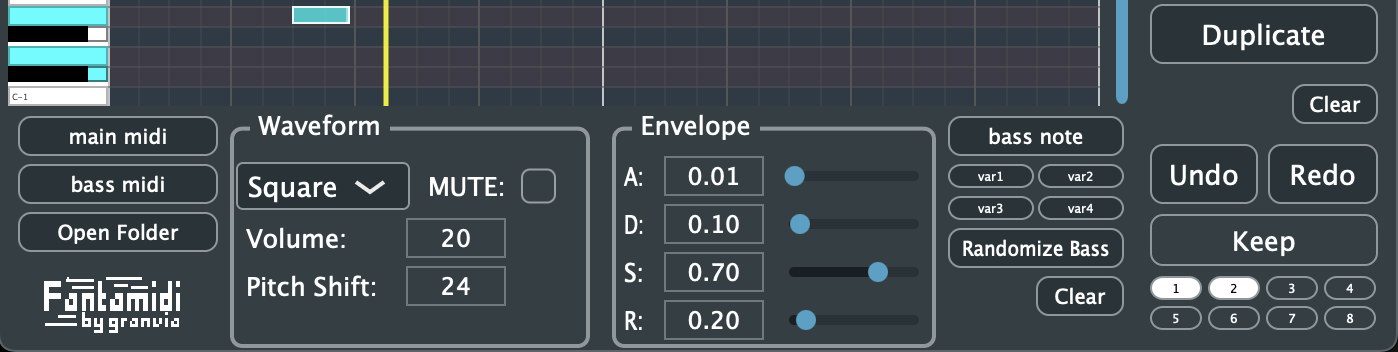
The built-in synthesizer features 4 waveform types (sine, triangle, square, sawtooth) and an ADSR envelope. Customize your sound freely with pitch shift and volume control.
Practical features include 8 preset slots, Undo/Redo functionality, and MIDI export (main/bass separately). Available in VST3/AU formats for use in major DAWs.
It’s been notarized by Apple, so use it worry-free! Windows version might be next.
The Windows version is ready now!
------------
Refund Policy
Due to the nature of digital products, all sales are final.
Please check system compatibility before purchasing.
A free version is available — we recommend trying it first before upgrading to the full version.
https://granvia.itch.io/fantamidi-free
If you encounter any critical bugs, feel free to contact us.
------------
I’ve always preferred making music with my own hands rather than relying on AI. But in reality, creating music can be tough. When I play the keyboard, my usual habits show up, new inspiration doesn’t come, and sometimes I can’t think of where to take the track next.
Music-making often needs “happy accidents” and moments of inspiration more than overthinking — and ideally, I wanted a tool that could make the process a bit easier. That’s why I created a plugin called Fantamidi.
The moment a randomly generated combination of notes—matched to your chosen scale and key—clicks with you, your inspiration and energy can suddenly surge.
Fantamidi is a tool designed to bring back that excitement and joy of creating music.**
Purchase
In order to download this tool you must purchase it at or above the minimum price of $12 USD. You will get access to the following files:
Development log
- New Chord Generation & Modulation System11 days ago
- Stuck on a Loop? A Practical Way to Finish Your Tracks23 days ago
- Fantamidi v1.2 Update (macOS and Windows)76 days ago
- Development update (work in progress)79 days ago
- Fantamidi on Windows + small updates coming81 days ago
Comments
Log in with itch.io to leave a comment.
I bought Fantamidi1.2 today and found out a strange behavior of the application.
For the loop length of 32 it works correctly.
But when set it to 64, it starts sound MIDIs on 2nd half instead of 1st ones,
then reaches at the half point, it starts to play MIDIs on 1st half.
Please see attached pict.
I tested on
Mac OS Sequoia 15.7.3
M1
Ableton Live 12.3.5
Both AU and VST3 Fantamidi
P.S.
I love MIDI generators but have never seen Japanese
ones. So I will support this application from now on!
Peace!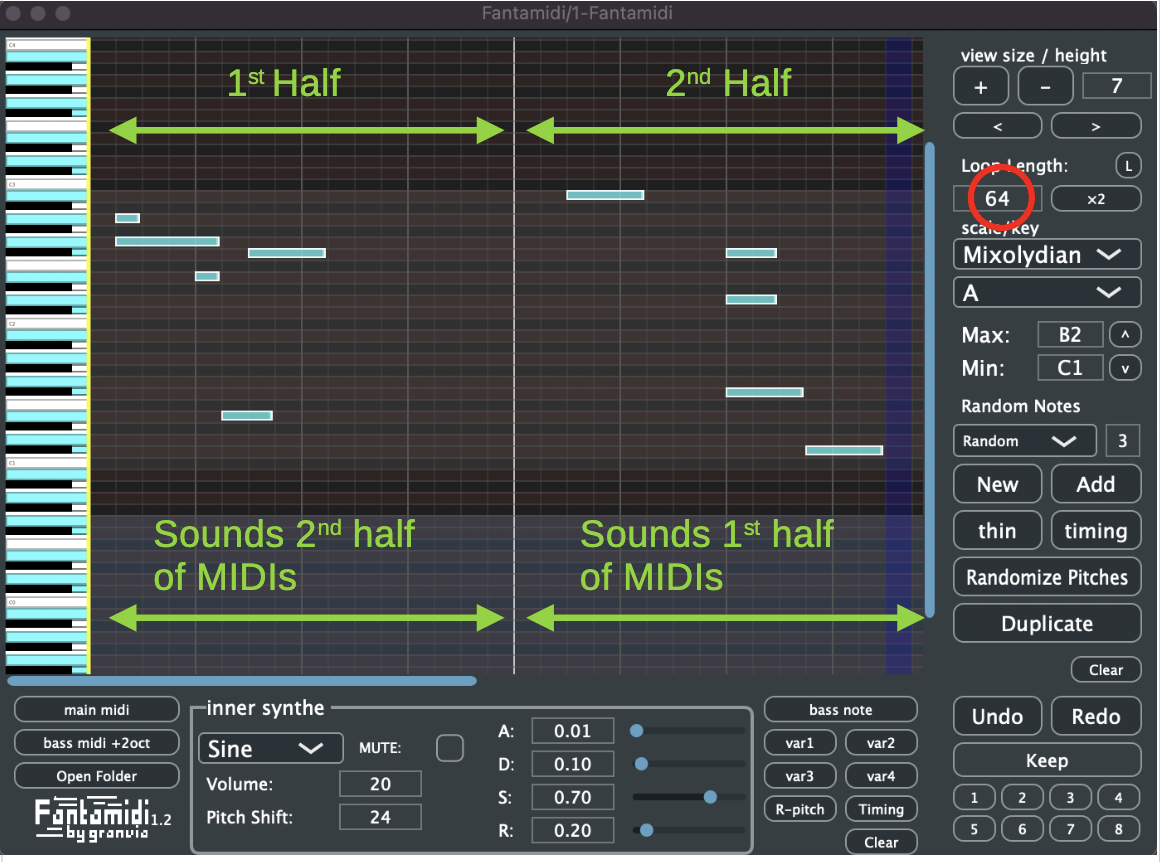
Thank you very much for purchasing Fantamidi and for the detailed feedback!
I really appreciate you taking the time to test it and explain the behavior so clearly — it’s extremely helpful.
I’ll take a closer look at the issue with the 64-step loop and investigate it in detail.
Thank you for your patience, and I’ll get back to you as soon as I have an update.
Thank you very much for checking this and for your patience — and sorry for the confusion.
I’ve confirmed the behavior, and this is actually intentional by design.
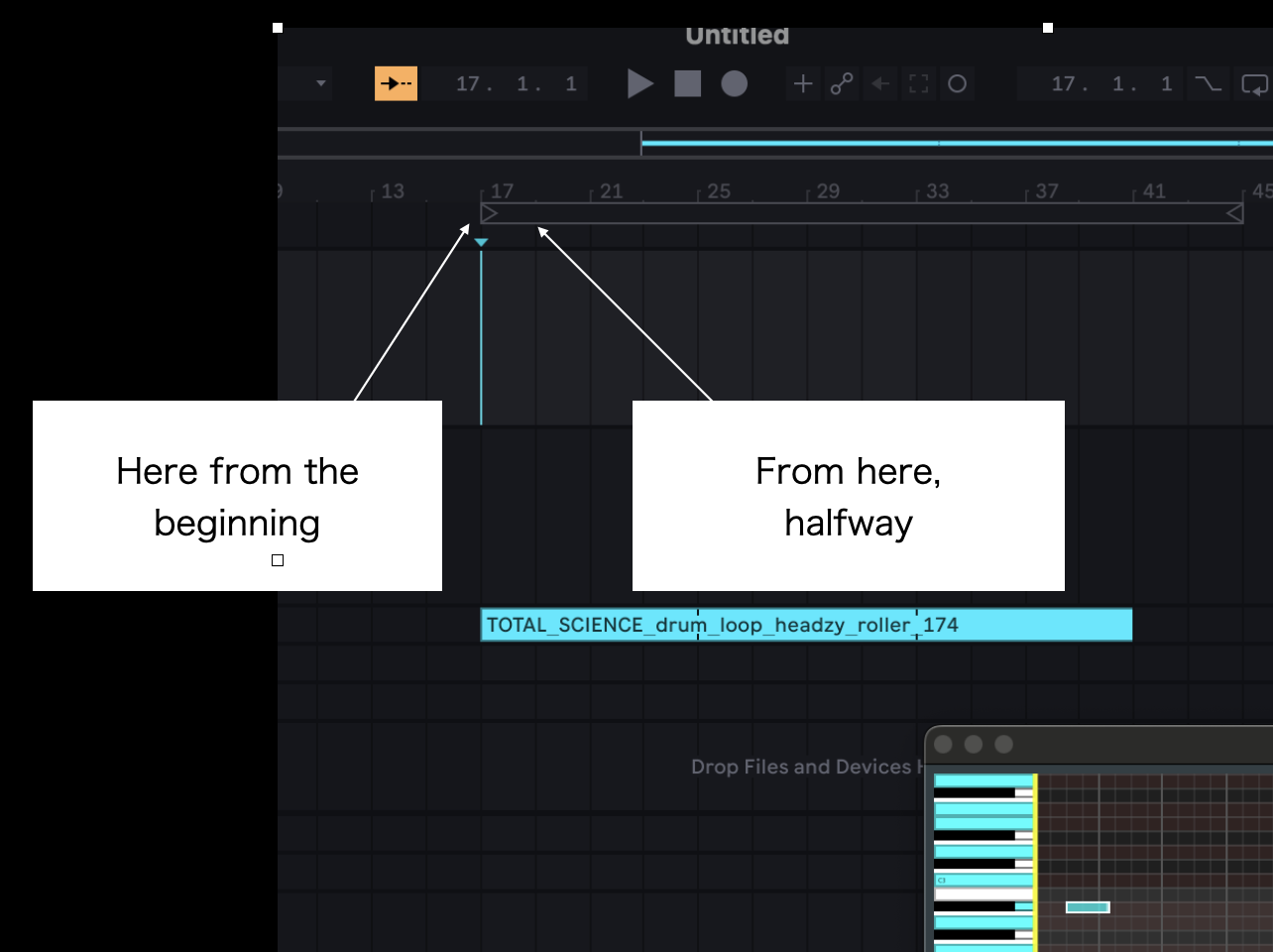
Fantamidi is based on 32 steps as the reference. When you set it to 64 steps, the starting half depends on the DAW timeline position.
For example, if playback starts at step 17, it begins from the first half, but if it starts at step 18, it begins from the second half.
This is partly my personal preference: when I want to slightly change the development in the middle of a track, I prefer the MIDI to start immediately from that point rather than waiting for the loop to come around.
The same idea applies to 128 steps — I thought it could be useful to control the starting position from the DAW side.
To be completely honest, there are also technical limitations on my side, and handling this in a more flexible way is currently difficult.
Ideally, it would be great to switch this behavior with a checkbox, but I’m sorry that I can’t offer that yet.
That said, I truly appreciate your feedback — it’s very valuable.
I’ll record this as a feature request for a future update.Thank you again for your detailed report and for supporting Fantamidi!
Thank you for your quick response.
Actually I checked it on Session View not on Arrangement View,
so I did not care about the position of the Loop Brace.
Now I understand. Thank you so much.
Peace
I see, that makes sense! I haven't done much testing in Session View myself... This was really eye-opening. Thank you so much for the comment!
already put the file to /Library/Audio/Plug-Ins/Components , but still not work for macOS Logic pro, please fix it
Thanks for the report.
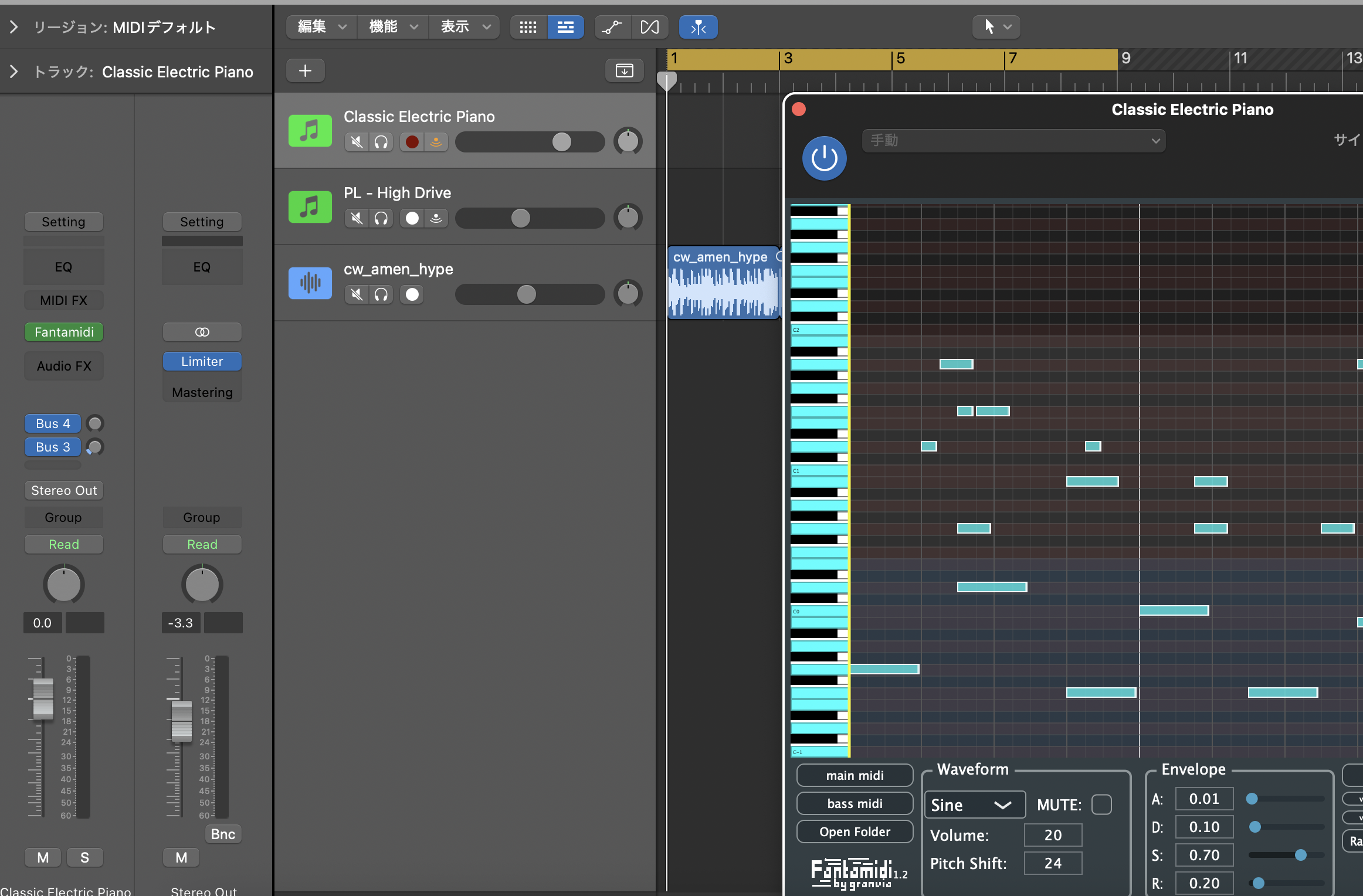
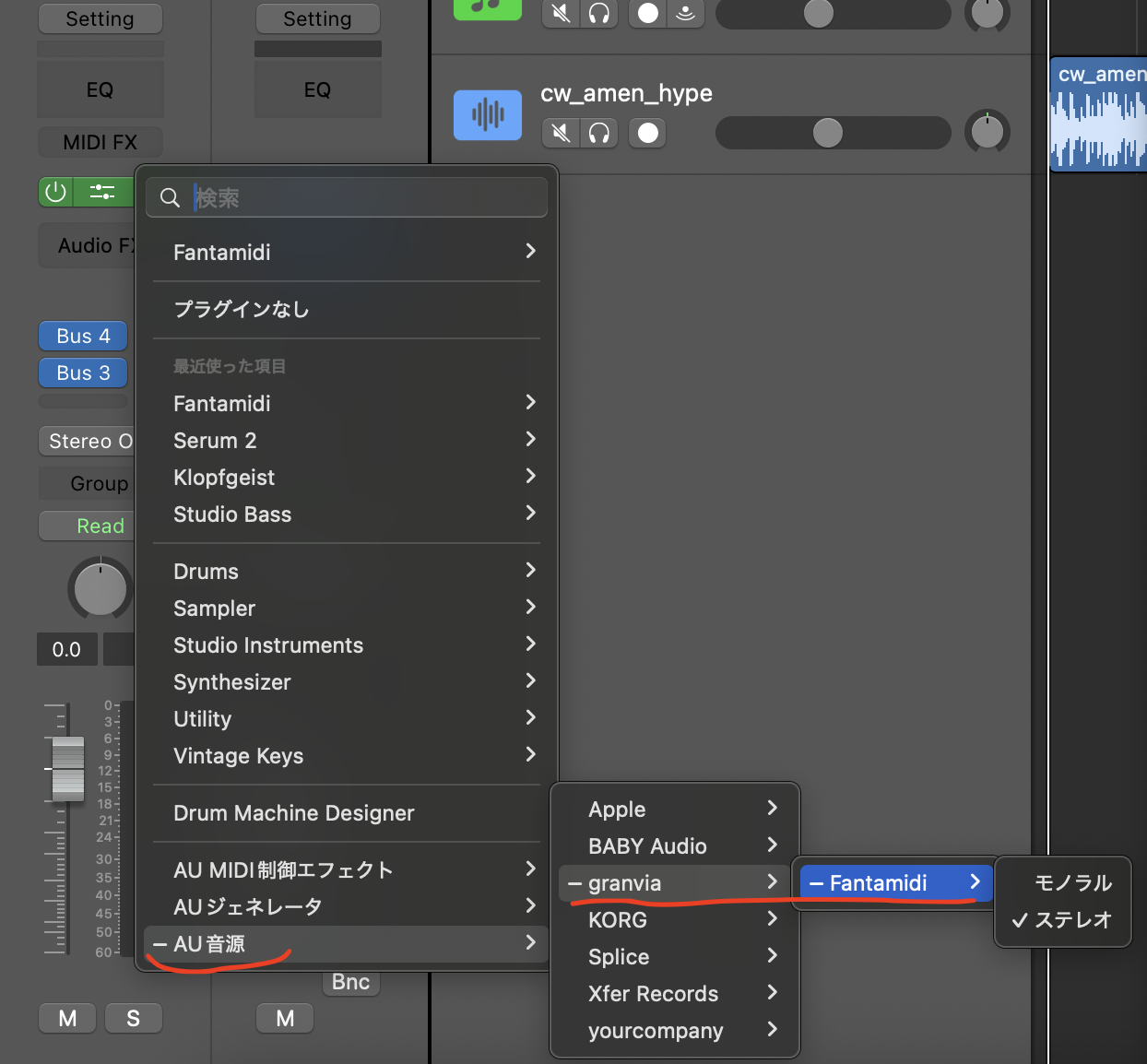
I don’t know the details of your environment, but on my side Fantamidi is working in Logic Pro on macOS 15.7.2 (see the screenshot below).
Could you please try restarting Logic Pro and macOS?
If it still doesn’t appear, let me know your macOS version, Logic Pro version, and whether you’re using Apple Silicon or Intel.
Sorry about the Japanese language in the screenshot.
Thanks for the Reply. Maybe my macOS too old , I will try next time.
macOS version: 14 , Logic Pro version: 11 , and use Intel chips , I will upgrade my macOS to 15 and try it next month
Thank you for your serious reply again.
You were right—it wasn't recognized when I opened it in Rosetta mode. I’ll look into some workarounds for this. Thanks so much for letting me know!
ーーー
Thank you for the details, and sorry I don’t have a clear answer yet.
I’ll take a bit of time to look into this and see if there’s anything I can do on my side.
Would it be okay if I get back to you after checking?
Thank you for your patience.
ーー
I’ve updated Fantamidi to support Intel Macs as a universal binary.
If you’d like, please try version 1.2.
That said, if it still doesn’t work on your system, I’m truly sorry.
Thank you very much for your understanding.
Thank you, It work for version 1.2